


An SEO reporting dashboard is the control centre for your digital marketing performance. Instead of jumping between tools, spreadsheets, and disconnected reports, dashboards bring your most important SEO and marketing metrics into one clear, visual view.
In 2025, data‑driven decision‑making is no longer optional. Whether you’re managing SEO in‑house, reporting to stakeholders, or running campaigns for clients, an SEO dashboard helps you track progress, identify opportunities, and prove ROI. Track these results with the right digital marketing KPIs and email strategy – full guide here.
Whether you are an agency seeking new clients or a business owner focused on growth, it can be difficult to keep track of all marketing efforts while also generating revenue. An SEO reporting dashboard solves this by clubbing campaign data into one place, allowing clients and internal teams to see—at a glance—how keywords are performing in search results, how many impressions your website receives, and how organic traffic contributes to leads and revenue.
Table of Contents
Comparison of SEO Reporting Dashboards and Tools
|
Dashboard/Tool Name
|
Best For
|
Key Metrics Tracked
|
Data Sources Integrated
|
Primary Use Case
|
Target Audience
|
Key Benefits
|
Source
|
|---|---|---|---|---|---|---|---|
|
All-in-One SEO KPI Dashboard (Advanced)
|
Agencies and mature marketing teams
|
SEO metrics, Analytics data, CRM data, Revenue data
|
SEO platforms, Analytics, CRM
|
Connecting search rankings directly to business outcomes and revenue
|
Agencies and mature marketing teams
|
Avoids vanity metrics by linking SEO performance directly to leads and revenue
|
[1]
|
|
Google Analytics 4 (GA4) SEO Dashboard
|
Traffic, engagement, and conversion tracking
|
Organic traffic by landing page, Engagement rate, Average engagement time, Conversions from organic search, Revenue or lead attribution
|
GA4
|
Monitoring user engagement and attributing revenue or leads to organic search
|
Marketers and business owners
|
Provides clear insight into traffic quality and conversion performance
|
[1]
|
|
Google Search Console Performance Dashboard
|
Search visibility and keyword performance
|
Clicks, Impressions, CTR, Average position
|
Google Search Console
|
Understanding how content aligns with search intent
|
SEO specialists and content creators
|
Direct insight into how a site performs within Google search results
|
[1]
|
|
Ahrefs / SEMrush SEO Dashboard
|
Keyword rankings, backlinks, and competitive insights
|
Keyword rankings, Backlink growth, Competitor comparisons
|
Not in source
|
Tracking off-page SEO data and competitor performance
|
SEO professionals and agencies
|
Provides off-page data that Google tools do not offer
|
[1]
|
|
Google Looker Studio SEO Dashboard
|
Custom reporting and stakeholder visibility
|
Not in source
|
GA4, Search Console, SEO tools, Ads platforms
|
Monthly reporting and creating executive summaries
|
Stakeholders and executives
|
Combines multiple data sources into one shareable, custom dashboard
|
[1]
|
Why SEO Reporting Dashboards Matter
A well‑built SEO dashboard allows you to:
- Monitor organic traffic and rankings in near real time
- Track performance against defined marketing KPIs
- Identify technical or content‑related issues early
- Align SEO performance with business goals and revenue outcomes
Most importantly, dashboards turn raw data into actionable insights, not just numbers. Track these results with the right digital marketing KPIs and email strategy – full guide here.
Architecting the SEO Reporting Dashboard
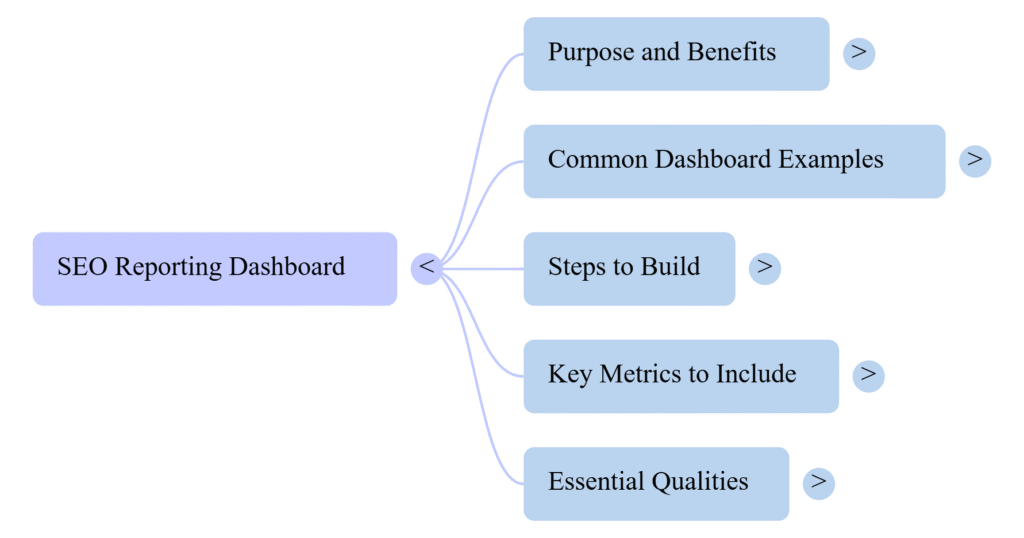
Why Do Organisations Need an SEO Reporting Dashboard?
SEO plays a critical role in long‑term digital growth, but its impact must be measured consistently. Organisations need dashboards to understand direction, momentum, and effectiveness across multiple campaigns.
Key benefits include:
- Tracking and managing multiple SEO, PPC, and local (GMB) campaigns efficiently
- Sending accurate, automated performance reports to clients or leadership
- Clubbing all marketing data into one unified system through tool integrations
When SEO data is visible and updated daily, teams can react faster, test smarter, and reduce wasted spend. Get your complete technology for business roadmap with tools and strategies here.
What Is the Real Value of Analytics & SEO Dashboards?
An analytics reporting dashboard provides clarity during every campaign stage—not just at peak performance. Instead of relying on gut feeling, marketers can identify which keywords, pages, and channels drive real business value.
The real value lies in:
- Understanding trends, not isolated data points
- Linking SEO performance to leads, sales, or sign‑ups
- Identifying what to scale, fix, or stop entirely
If a metric does not inform a decision, it does not belong on your dashboard. Track these results with the right digital marketing KPIs and email strategy – full guide here.
Common SEO Dashboard Examples (2025)
1. Google Analytics 4 (GA4) SEO Dashboard
Best for: Traffic, engagement, and conversion tracking
Key metrics:
- Organic traffic by landing page
- Engagement rate and average engagement time
- Conversions from organic search
- Revenue or lead attribution
2. Google Looker Studio SEO Dashboard
Best for: Custom reporting and stakeholder visibility
Combines data from GA4, Search Console, SEO tools, and ads platforms into one shareable dashboard. Ideal for monthly reporting and executive summaries.
3. Google Search Console Performance Dashboard
Best for: Search visibility and keyword performance
Tracks clicks, impressions, CTR, and average position to understand how content aligns with search intent.
4. Ahrefs / SEMrush SEO Dashboard
Best for: Keyword rankings, backlinks, and competitive insights
Provides off‑page SEO data that Google tools do not offer, including backlink growth and competitor comparisons.
5. All‑in‑One SEO KPI Dashboard (Advanced)
Best for: Agencies and mature marketing teams
Combines SEO, analytics, CRM, and revenue data to connect rankings directly to business outcomes—not vanity metrics.
How to Build a Custom SEO Reporting Dashboard
Step 1: Define Your SEO KPIs
Focus on growth‑driven metrics such as organic traffic growth, keyword rankings, conversion rate, and revenue attribution. Track these results with the right digital marketing KPIs and email strategy – full guide here.
Step 2: Choose the Right Data Sources
Common sources include GA4, Google Search Console, SEO platforms, and CRM tools. Avoid unnecessary metrics that do not influence decisions.
Step 3: Design for Clarity
Use simple visuals, group metrics by theme, and highlight trends over time. Dashboards should answer questions in seconds, not minutes.
Step 4: Automate Reporting
Automated dashboards reduce manual effort and ensure stakeholders always see up‑to‑date data. Get your complete technology for business roadmap with tools and strategies here.
Benefits of Using Web Analytics & SEO Dashboards
A modern SEO dashboard centralises analytics, SEO reporting, and performance insights in one place. Marketers can track keyword performance, identify content opportunities, and adjust strategy quickly.
As AI‑powered analytics and automation become more common, dashboards will increasingly surface predictive insights rather than just historical data. Explore artificial intelligence and emerging technologies shaping 2025 here.
What Makes a Great SEO Dashboard?
A high‑impact SEO dashboard:
- Aligns directly with business goals
- Focuses on actionable KPIs
- Combines multiple data sources
- Is easy for non‑technical users to understand
FAQs: SEO Reporting Dashboards
What should an SEO dashboard include?
Core metrics such as organic traffic, keyword rankings, conversions, CTR, and revenue attribution.
How often should SEO dashboards be updated?
Ideally daily or in real time using automated data connections.
Are SEO dashboards only for agencies?
No. In‑house teams and small businesses benefit equally from visibility and accountability.
Can SEO dashboards measure ROI?
Yes, when integrated with CRM or conversion data, dashboards can directly link SEO to leads and revenue.
Final Thoughts
SEO reporting dashboards are no longer simple reporting tools—they are strategic assets. When built correctly, they help teams prioritise work, justify budgets, and continuously improve performance.
By connecting SEO metrics to broader marketing and business KPIs, organisations can clearly demonstrate how organic search contributes to sustainable growth in 2025 and beyond.