
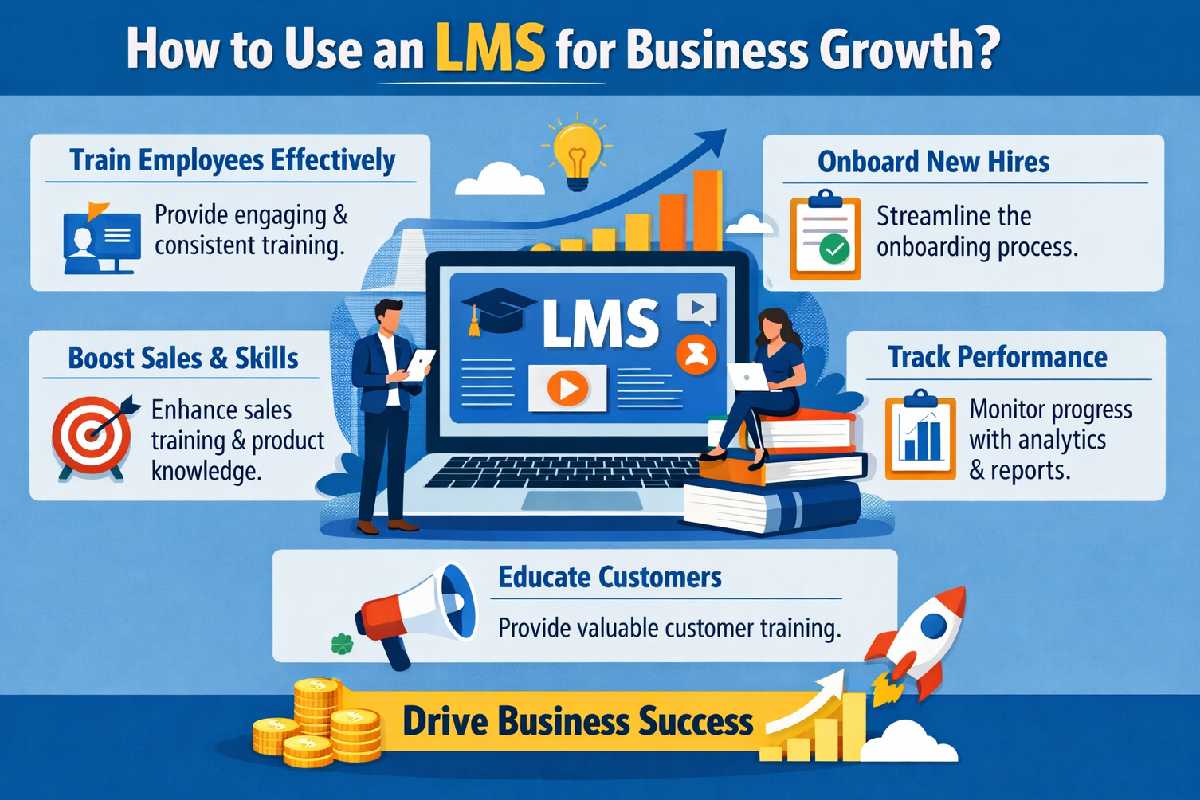
How to use an LMS for business growth? If you’ve been running a business for a while, you’ve probably asked yourself this without even realizing it.
Maybe it shows up like this:
- “Why am I explaining the same thing to every new client?”
- “Why does onboarding take so much time?”
- “How do I scale without hiring more people?”
- “Can I make money from what I already know?”
I’ve been there. And honestly, most businesses don’t have a growth problem—they have a system problem.
That’s exactly where an LMS comes in.
Table of Contents
What’s Actually Holding Your Business Back?
Let me keep this real.
Most businesses today:
- Depend heavily on manual work
- Repeat the same processes again and again
- Struggle to scale knowledge
- Miss out on monetizing expertise
You might have:
- SOPs scattered in Google Docs
- Training happening over Zoom calls
- Clients asking the same questions repeatedly
This isn’t sustainable.
And this is where a Learning Management System (LMS) becomes more than just a “tool”—it becomes your growth engine.
What is an LMS (Without the Tech Jargon)?
An LMS is simply a platform where you:
- Create structured learning content
- Deliver it to users (clients, employees, audience)
- Track their progress
- Automate knowledge sharing
Think of it like:
- Your business knowledge, organized and working for you 24/7
If you’re running a WordPress site, using an LMS for WordPress makes it even more powerful because everything stays under your control—content, SEO, users, and revenue.
How an LMS Directly Impacts Business Growth
Now let’s get to the real part—growth.
Not theory. Actual impact.
- Turn Your Knowledge into a Revenue Stream
You already have knowledge people are willing to pay for.
The problem?
You’re giving it away for free or repeating it manually.
With an LMS, you can:
- Package your expertise into courses
- Sell access
- Create recurring income
Example:
Let’s say you run an SEO agency.
Instead of:
- Explaining basics to every client
You create:
- “SEO Fundamentals Course”
- “Technical SEO Deep Dive”
Now:
- Beginners buy your course
- Serious clients come pre-qualified
You save time AND make money.
- Scale Without Increasing Workload
This is the biggest advantage.
Without LMS:
- More clients = more work
With LMS:
- More users = same effort
Because:
- Training is automated
- Content is reusable
- Processes are standardized
You record once… and it works forever.
- Improve Client Experience (Massively)
Let’s be honest—clients hate confusion.
When you give them:
- Structured onboarding
- Step-by-step guidance
- Clear expectations
They feel:
- More confident
- More satisfied
And satisfied clients:
- Stay longer
- Refer more
- Complain less
- Build Authority Without Chasing It
You don’t need to “prove” you’re an expert when you’re teaching.
An LMS allows you to:
- Publish structured knowledge
- Offer certifications
- Create learning paths
And suddenly:
- You’re not just a service provider
- You’re a trusted authority
Why LMS for WordPress is a Smart Move
Now let’s talk setup.
Using an LMS for WordPress gives you advantages most platforms don’t:
Full Ownership
You’re not dependent on third-party platforms.
SEO Benefits
Your courses can rank on Google.
Flexibility
You can integrate:
- Payment gateways
- Email tools
- Membership systems
Cost Efficiency
No heavy commissions eating your revenue.
How I’d Personally Set This Up (Step-by-Step)
Let me walk you through how I’d actually do it.
Step 1: Define Your Goal Clearly
Don’t skip this.
Ask:
- Do I want to sell courses?
- Train employees?
- Educate leads?
Your goal defines your entire LMS strategy
Step 2: Identify High-Value Content
Don’t create random content.
Focus on:
- Problems people frequently ask about
- Processes you repeat often
- Skills that deliver clear results
That’s your course foundation.
Step 3: Structure Content Like a Journey
Nobody likes messy learning.
Organize like this:
- Module 1: Basics
- Module 2: Core concepts
- Module 3: Advanced execution
Think:
- Progression, not information overload
Step 4: Make It Engaging (Most People Skip This)
This is where most LMS setups fail.
Add:
- Quizzes
- Assignments
- Certificates
Why?
- Because engagement = completion
- Completion = results
- Results = trust
Step 5: Connect LMS with Your Content Strategy
Here’s where your SEO expertise comes in.
Don’t isolate your LMS.
Connect it with:
- Blog content
- Landing pages
- Email funnels
Example:
- Blog: “SEO Basics Guide”
- CTA: “Learn SEO Step-by-Step (Course)”
That’s how you convert traffic into revenue.
Real-Life Example (Simple but Powerful)
Let’s say you run a fitness business.
Old model:
- Daily Instagram posts
- One-on-one coaching
New model with LMS:
- Beginner fitness course
- Diet planning course
- Premium coaching upsell
Now your funnel looks like:
Content → Course → Coaching
That’s scalable.
Common Mistakes to Avoid
I see this way too often:
Creating Too Much Content
More content ≠ better results
Focus on clarity, not volume
No Clear Outcome
Users should know:
- What they’ll achieve
Ignoring User Experience
If it’s confusing, people leave
No Promotion Strategy
Building is step one
Selling is everything
Pro Tips (From Experience)
If I had to start again, I’d:
- Start with one course
- Validate before building more
- Focus on user experience
- Keep content simple and actionable
- Continuously improve based on feedback
Final Thoughts
At the end of the day, an LMS is not just about learning.
It’s about:
- Building systems
- Scaling knowledge
- Creating predictable revenue
If you approach it right, it becomes one of the most powerful assets in your business.
How to use an LMS for business growth? Build it like a system, not a feature—and let it do the heavy lifting while you scale.