
Launching a small business startup is full of decisions—but few have as much long-term impact as your tech stack.
Choose the right tools, and your business runs lean, scales faster, and avoids costly rework. Choose poorly, and you’ll end up juggling disconnected apps, paying for features you don’t use, and rebuilding systems just months after launch.
The challenge? Startups don’t have the luxury of enterprise IT teams or unlimited budgets. You need tools that are affordable, flexible, and easy to grow with.
This guide explains how to choose the right tech stack for your small business startup, step by step. Whether you’re a solo founder, early-stage team, or bootstrapped business, this framework will help you make confident, future-proof decisions—without overengineering.
Table of Contents
What Is a Tech Stack for a Small Business Startup?
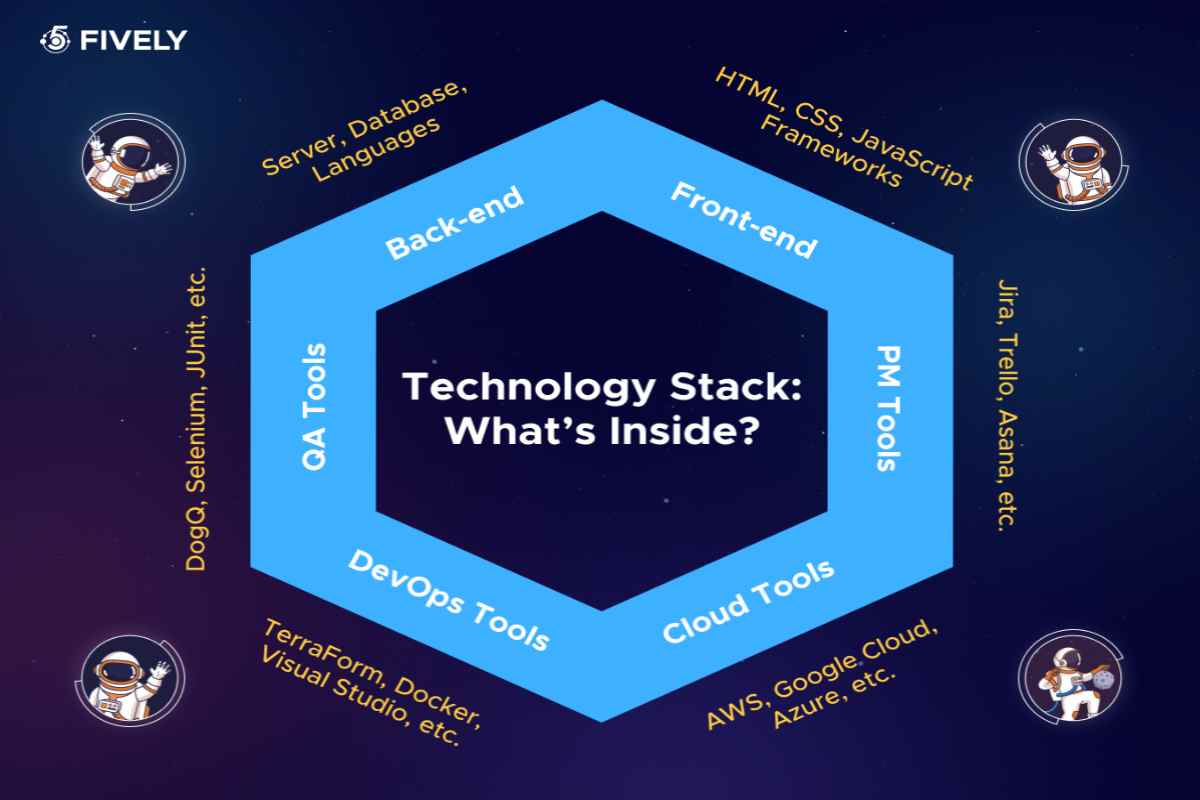
A tech stack is the collection of software tools and technologies your business uses to operate.
For small business startups, this typically includes tools for:
-
Communication and collaboration
-
Website and hosting
-
Marketing and sales
-
Customer relationship management (CRM)
-
Operations and project management
-
Accounting and finance
-
Automation and integrations
-
Security and backups
Unlike large enterprises, startups need a lean, modular tech stack—tools that work well together, require minimal setup, and don’t lock you into expensive contracts.
Why Choosing the Right Tech Stack Matters Early
Many founders delay tech decisions, assuming they’ll “fix it later.” That often leads to problems like:
-
Duplicate tools doing the same job
-
Data scattered across platforms
-
Manual work that should be automated
-
Expensive migrations during growth
A well-chosen tech stack:
-
Saves time from day one
-
Reduces operating costs
-
Improves team productivity
-
Makes scaling smoother
-
Supports data-driven decisions
In short, your tech stack becomes the operating system of your startup.
Step 1: Start With Business Goals, Not Tools
The biggest mistake startups make is choosing tools based on trends instead of needs.
Before looking at software, answer these questions:
-
How do we make money?
-
How do customers find us?
-
How do we deliver our product or service?
-
What tasks repeat every week?
-
What will break first if we grow 2×?
Your tech stack should support how your business actually works, not how tech blogs say it should work.
Example
A service-based startup needs:
-
Scheduling
-
Invoicing
-
Email automation
An eCommerce startup needs:
-
Website platform
-
Payment processing
-
Inventory management
-
Customer support tools
Same “small business,” completely different stacks.
Step 2: Identify Your Core Tech Stack Categories
Most small business startups need tools in these core categories:
1. Website & Hosting
Your digital storefront.
Typical options:
-
Website builder (WordPress, Webflow, Shopify)
-
Hosting and domain
-
Analytics and SEO tools
2. Communication & Collaboration
How your team works together.
Includes:
-
Email
-
Chat
-
Video meetings
-
File sharing
3. Sales & Marketing
How you attract and convert customers.
Includes:
-
CRM
-
Email marketing
-
Lead capture forms
-
Social media tools
4. Operations & Project Management
How work gets done.
Includes:
-
Task management
-
Documentation
-
Workflow tracking
5. Finance & Accounting
How money moves.
Includes:
-
Invoicing
-
Payments
-
Expense tracking
-
Reporting
6. Automation & Integrations
How tools talk to each other.
Includes:
-
Workflow automation
-
Data syncing
-
Notifications
You don’t need all of these on day one—but you should plan for them.
Step 3: Choose Tools That Scale With You
Your startup tech stack should work at:
-
1 user
-
5 users
-
20 users
Many founders choose tools that are either:
-
Too basic (outgrown quickly)
-
Too complex (unused features, high cost)
What “Scalable” Actually Means
-
Free or low-cost starting plans
-
Paid upgrades only when usage grows
-
Ability to add users easily
-
API or integrations available later
Avoid tools that force you into high minimum pricing early.
Step 4: Prioritize Integration-Friendly Tools
Disconnected tools create manual work.
When choosing any software, ask:
-
Does it integrate with other common tools?
-
Does it support automation platforms?
-
Is data export easy?
Tools that integrate well:
-
Reduce duplicate data entry
-
Enable automation later
-
Prevent vendor lock-in
Even if you don’t automate immediately, future-proofing integrations is critical.
Step 5: Keep the Stack Lean (Fewer Tools > More Tools)
More tools ≠ more productivity.
Every additional app adds:
-
Learning time
-
Maintenance
-
Costs
-
Context switching
A strong startup tech stack:
-
Uses multi-purpose tools
-
Avoids overlapping features
-
Replaces manual processes, not people
Example
Instead of:
-
Separate docs tool
-
Separate task manager
-
Separate wiki
Use one workspace tool that handles all three.
Step 6: Consider Skill Level and Team Size
Your tech stack must match your team’s capabilities.
Ask:
-
Who will manage these tools?
-
Are they technical or non-technical?
-
Will freelancers or contractors use them?
A “powerful” tool is useless if no one knows how to use it.
For early-stage startups:
-
Simple UI > advanced features
-
Good documentation > customization
-
Fast onboarding > deep configuration
Step 7: Build a Sample Tech Stack (By Category)
Below is a practical example tech stack for a typical small business startup.
Website & Analytics
-
Website platform (CMS or builder)
-
Hosting + domain
-
Analytics tool
Why: Online presence, traffic tracking, lead generation
Communication & Collaboration
-
Business email
-
Team chat
-
Video meetings
-
Cloud file storage
Why: Centralized communication and document access
Sales & Marketing
-
CRM
-
Email marketing tool
-
Lead capture forms
-
Basic automation
Why: Lead tracking, follow-ups, conversion optimization
Operations & Projects
-
Task/project management
-
Internal documentation
-
SOP tracking
Why: Execution consistency as the team grows
Finance & Payments
-
Accounting software
-
Invoicing tool
-
Payment processor
Why: Cash flow visibility and compliance
Automation & Integrations
-
Workflow automation tool
-
Native integrations
Why: Reduce manual work and errors
Step 8: Decide Free vs Paid Tools Strategically
Free tools are ideal at the startup stage—but not all free plans are equal.
Use Free Tools When:
-
Volume is low
-
Processes are simple
-
You’re validating the business model
Upgrade When:
-
You hit usage limits
-
Automation becomes mission-critical
-
Team collaboration increases
-
Reporting and insights matter
Think of free tools as launch fuel, not permanent infrastructure.
Step 9: Avoid Common Tech Stack Mistakes
Here are the most common mistakes small business startups make:
❌ Choosing Tools Too Early
Don’t overbuild before validating your business.
❌ Copying Another Startup’s Stack
Your business model matters more than trends.
❌ Ignoring Data Ownership
Always ensure you can export your data.
❌ Over-Automating Too Soon
Automate stable processes—not chaos.
❌ Paying for Features You Don’t Use
Buy for current needs + near-term growth.
Step 10: Review and Evolve Your Tech Stack Regularly
Your tech stack is not “set and forget.”
Review it:
-
Every 6–12 months
-
After major growth milestones
-
When workflows break
Ask:
-
What tools are underused?
-
What processes are still manual?
-
Where are costs increasing without ROI?
Continuous improvement keeps your stack efficient and affordable.
Frequently Asked Questions
What is the best tech stack for a small business startup?
There’s no universal best stack. The right tech stack depends on your industry, team size, budget, and growth plans.
How many tools should a startup tech stack have?
Most early-stage startups operate effectively with 6–10 core tools. Fewer is often better.
Should startups use free tools or paid tools?
Start with free tools when possible, then upgrade based on usage, ROI, and growth—not hype.
When should I change my tech stack?
Change tools when they slow you down, block growth, or cost more than the value they provide.
Final Thoughts
Choosing the right tech stack for your small business startup isn’t about chasing the newest tools—it’s about building a system that supports how you work today and how you’ll grow tomorrow.
Start simple. Choose flexible tools. Prioritize integrations. Review regularly.
A thoughtful tech stack won’t just save you money—it will give your startup the operational clarity and momentum it needs to succeed.